







Top 10 Signs Your Computer Needs Repair Before It Completely Fails
Computers rarely stop working without warning. In most cases, they give several signs that something is wrong long before they completely fail. Unfortunately, many users ignore these early warning signs until the problem becomes serious. By recognizing these signals early, you can repair the issue before it turns into an expensive disaster or worse, permanent data loss.
Here are ten common signs that your computer may need repair before it completely fails.
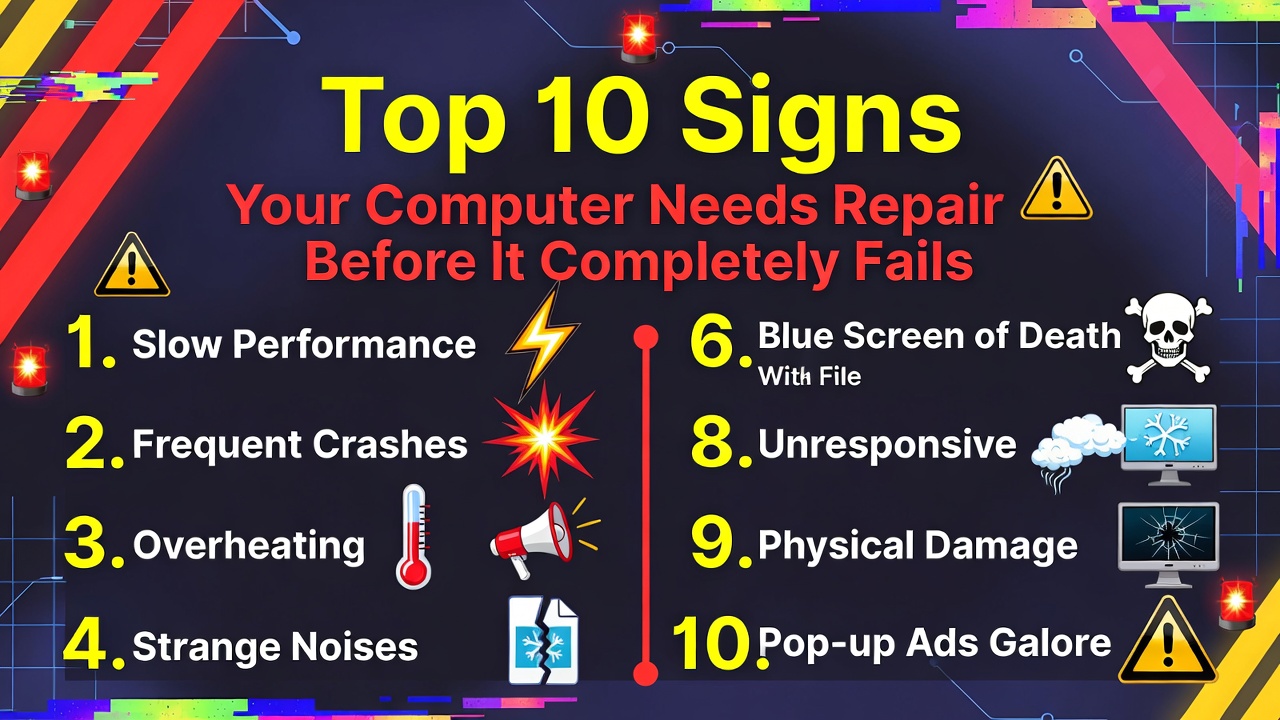
The first warning sign is unusually slow performance. If your computer suddenly takes a long time to start, open programs, or perform simple tasks, something may be wrong. While slow performance can sometimes be caused by too many running programs, it can also indicate problems with storage drives, insufficient memory, or system errors.
The second sign is frequent system crashes or freezing. If your computer regularly freezes or displays error messages, it could be a sign of software conflicts, failing hardware, or corrupted system files. Occasional crashes may happen, but repeated crashes should never be ignored.
The third warning sign is overheating. If your computer becomes extremely hot or the fan runs loudly all the time, the cooling system may not be working properly. Overheating can damage important components like the processor or graphics card if not addressed quickly.
Another serious warning sign is strange noises coming from the computer. Clicking, grinding, or buzzing sounds may indicate that the storage drive or cooling fan is failing. Hard drives especially can produce clicking sounds before they completely stop working.
The fifth sign is random shutdowns or restarts. If your computer suddenly shuts down without warning, it could be caused by overheating, a failing power supply, or motherboard issues. This problem should be checked immediately to avoid further damage.
Another warning sign is error messages appearing frequently. Repeated system warnings, blue screens, or software errors can indicate deeper problems within the operating system or hardware components.
The seventh sign is programs that suddenly stop responding. If applications frequently crash or refuse to open, it may be caused by memory issues, outdated software, or corrupted files within the system.
Another sign that your computer may need repair is slow internet performance that only happens on your device. If other devices connect to the internet normally but your computer struggles, there may be issues with network drivers or hardware.
The ninth warning sign is files becoming corrupted or disappearing. If you notice documents that cannot be opened or files that suddenly vanish, your storage drive may be failing. This is a serious issue and should be addressed immediately to prevent data loss.
The final sign is unusual pop-ups or strange system behavior. Unexpected advertisements, unknown programs, or sudden changes in system settings may indicate malware or virus infections. Running security scans and removing malicious software is necessary to protect the system.
Recognizing these warning signs early can save you a lot of trouble. Many computer failures begin with small problems that were ignored for too long. Addressing issues early allows technicians to repair the system before major damage occurs.
Regular maintenance, system updates, and monitoring your computer’s performance can also help prevent serious problems. Taking action early not only protects your computer but also helps avoid expensive repairs or the need to replace the entire system.
In conclusion, computers often give clear signs before they fail completely. Slow performance, overheating, strange noises, and system crashes are all signals that something needs attention. By paying attention to these warnings and seeking repair early, you can keep your computer running smoothly and extend its lifespan.
