







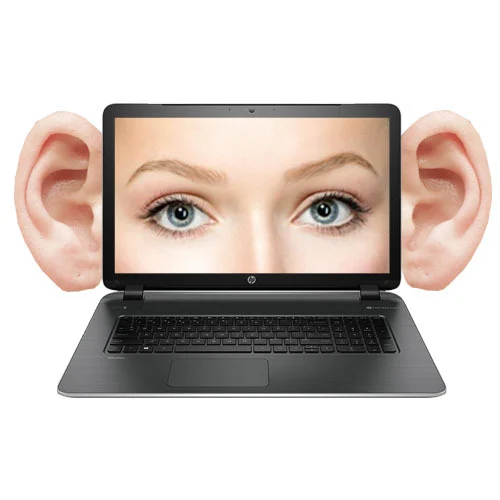
Is Someone Watching You? 5 Signs Your Computer Has Been Hacked
We use our computers for everything—banking, private messages, and work documents. But how do you know if a stranger has “backdoor” access to your digital life? Most hackers don’t leave a message; they stay hidden to steal as much data as possible.
At Qual-IT Solutions, we believe your privacy is a priority. If you notice any of these “red flags,” your computer’s security may have been compromised.
1. Your Webcam Light Turns On by Itself
This is the ultimate “creepy” sign. If that little LED light next to your camera flickers on when you aren’t in a video call, someone might be remotely accessing your camera.
Quick Fix:
- Cover it up: Use a physical webcam cover or a piece of tape immediately.
- Check permissions: Look at your privacy settings to see which apps have permission to use the camera.
2. Random Pop-ups and New Toolbars
If you start seeing advertisements on your desktop (not just in your browser) or if your browser’s search engine has suddenly changed to something you don’t recognize, you likely have Adware or a Browser Hijacker.
Quick Fixes:
- Check your browser extensions and delete anything you didn’t install.
- Clear your browser’s “Site Settings” to block intrusive notifications.
3. Your Mouse Moves on Its Own
If you see your cursor moving and clicking on files while your hands aren’t even on the desk, someone is likely using Remote Desktop Software to control your PC in real-time.
Quick Fix:
- Disconnect the Internet: Immediately turn off your Wi-Fi or unplug your LAN cable. This cuts the hacker’s “bridge” to your machine.
4. Your Password No Longer Works
The most common sign of a hack is being “locked out.” If you know your password is correct but your social media or email says it’s wrong, your account has been hijacked.
Quick Fix:
- Use the “Forgot Password” link immediately from a different device (like your phone) to regain control and enable Two-Factor Authentication (2FA).
5. Extreme Slowness and “Fan Noise”
Hackers often use your computer’s power to “mine” cryptocurrency in the background. If your PC is slow even when you aren’t doing anything, it might be working for a hacker.
Quick Fix:
- Open Task Manager (
Ctrl + Shift + Esc) and look for any weird apps using 90% to 100% of your CPU.
Get a Professional Security Scan
Security is complex, and “free” antivirus software often isn’t enough to catch professional-grade malware. If you suspect your privacy is at risk, don’t wait until your bank account is emptied.
At , Qual-IT Solutions provide comprehensive Security Audits and Malware Removal. Our technicians can scan your system, remove hidden trackers, and set up a “firewall” that keeps intruders out for good.
